
Starlink Gen 2 Dual-Port Ethernet Adapter | 2-in-1 RJ45 Splitter


Starlink Gen 2 Dual-Port Ethernet Adapter | 2-in-1 RJ45 Splitter
Dual-Port Ethernet Adapter for Starlink Gen 2
Add two wired Gigabit Ethernet connections to a compatible Starlink Gen 2 Standard Actuated setup without adding a separate Ethernet switch. Connect computers, smart TVs, game consoles, printers, routers and other RJ45 network devices through one compact inline adapter.
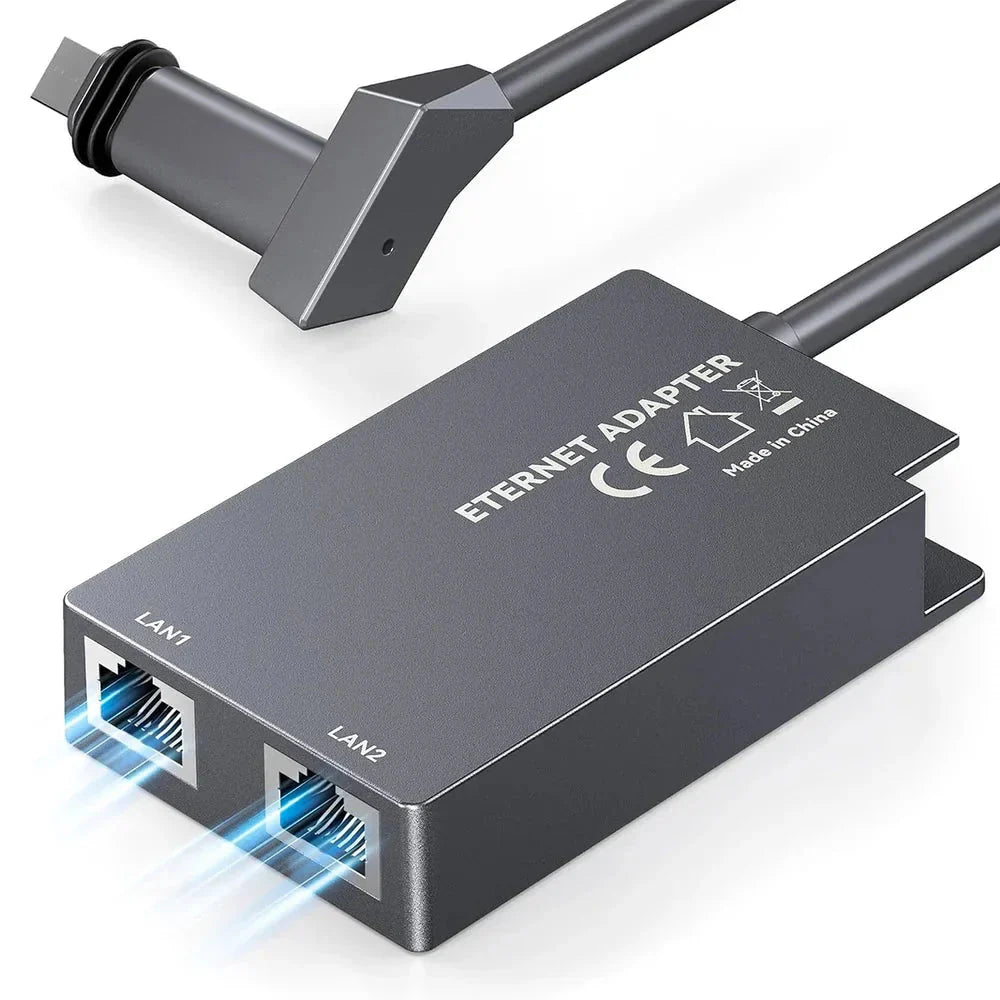
Two Gigabit RJ45 Ports
LAN1 and LAN2 each support standard 10/100/1000Mbps Ethernet link rates for simultaneous wired network connections.
Built for Starlink Gen 2
Designed around the proprietary connection used by the Starlink Standard Actuated Gen 2 dish and Gen 2 router.
Plug-and-Play Networking
No driver installation or dedicated desktop software is required. Install the adapter in the compatible Gen 2 connection path, then connect your RJ45 devices.
Why This Starlink Gen 2 Adapter Stands Out
Connect two RJ45 devices simultaneously instead of being limited to a single Ethernet output.
Desktop computers, smart TVs, game consoles and printers can use a physical network connection instead of relying entirely on Wi-Fi.
One of the Ethernet outputs can also connect to a compatible third-party router, network switch or other standard RJ45 networking equipment when required by your network design.
Ethernet removes the local Wi-Fi hop between the connected device and your Starlink network, useful for gaming, workstations and other fixed installations.
For installations that only need two wired outputs, the integrated dual-port format can reduce the need for a separate external Ethernet switch.
Gigabit Port Rating ≠ 1Gbps Starlink Internet
The adapter's Ethernet ports support up to a 1000Mbps wired link rate. Actual internet throughput is determined by your Starlink service, satellite conditions, network congestion, Ethernet cable quality and connected equipment.
Dual Gigabit Ports for More Flexible Networking

Standard RJ45 Ethernet output supporting 10/100/1000Mbps network negotiation with compatible equipment.
A second Gigabit-capable RJ45 port for another wired client or compatible networking device.
Normal operation does not require installing a USB driver, desktop application or proprietary Ethernet software.
Connect common Ethernet-capable devices using suitable Cat5e, Cat6 or equivalent RJ45 network cables.

Product imagery identifies internal adapter electronics and two separately labeled Ethernet outputs. It is designed to provide two network connections rather than simply dividing Ethernet wire pairs like a passive cable splitter.
Built Specifically for Starlink Gen 2
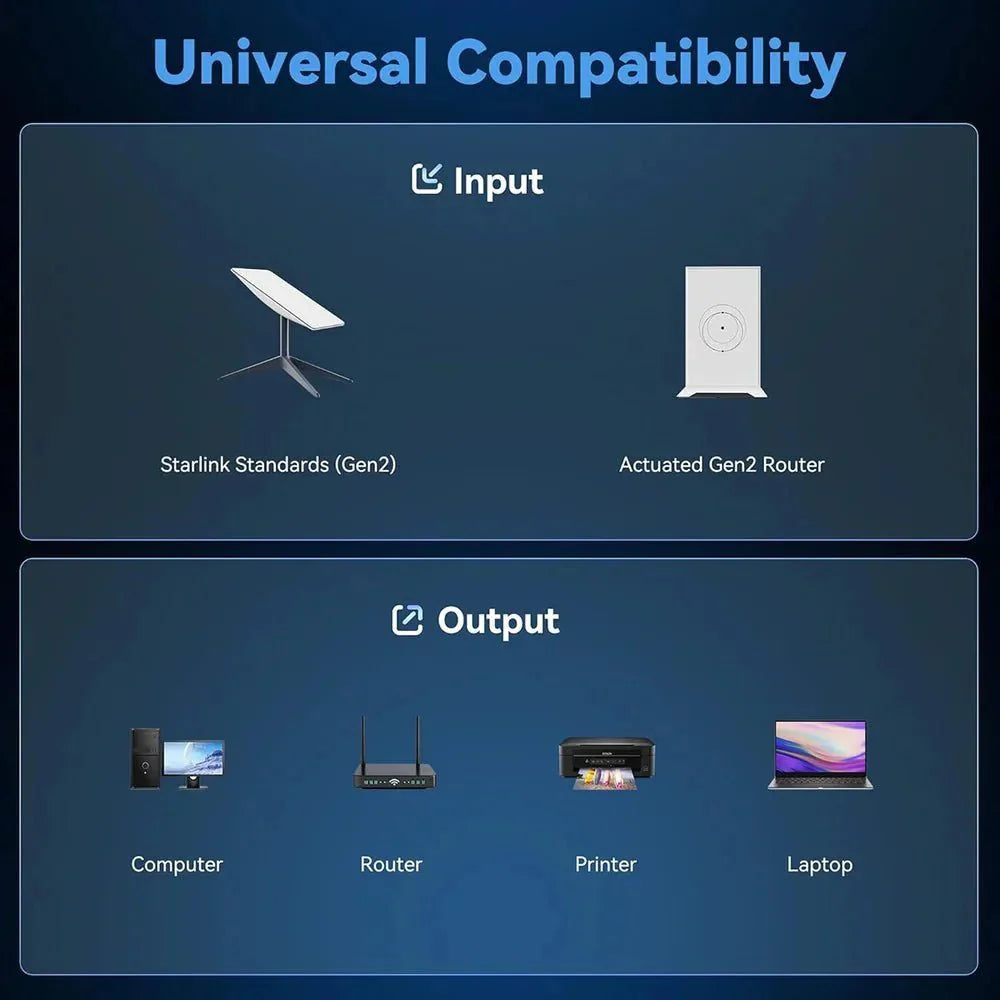
Verify that you have the Starlink Standard Actuated / Gen 2 system with the corresponding proprietary Gen 2 dish and router connection.
Disconnect power from the Starlink system before unplugging or reconnecting proprietary Starlink cables.
Connect the adapter into the compatible Starlink Gen 2 cable path according to the supplied connector orientation.
Make sure the Starlink dish-to-router path remains fully connected through the adapter before restoring power.
Connect one or two Ethernet devices to LAN1 and LAN2 using suitable Ethernet cables.
Restore power, allow Starlink to reconnect, then verify Ethernet link and internet access on each connected device.

Current manufacturer instructions specify that the connected Ethernet cable run should not exceed approximately 150 ft (45 m).
The proprietary Starlink connectors differ between hardware generations. This adapter is specifically designed for the Gen 2 / Standard Actuated system and should not be assumed compatible with Gen 1, Gen 3, Starlink Mini, Flat High Performance or High Performance terminals.
Specifications
| Attribute | Details |
|---|---|
| Product | Starlink Gen 2 Dual-Port Ethernet Adapter |
| Compatible Starlink Generation | Starlink Gen 2 / V2 |
| Compatible Terminal Type | Standard Actuated Gen 2 |
| Starlink Gen 3 | Not Compatible |
| Starlink Mini | Not Compatible |
| Flat / High Performance | Not Listed as Compatible |
| RJ45 Ports | 2 × Ethernet Ports — LAN1 + LAN2 |
| Ethernet Link Rate | 10 / 100 / 1000 Mbps |
| Simultaneous Wired Connections | Up to 2 |
| Connection Type | Inline Starlink Gen 2 Proprietary Connection + Dual RJ45 Output |
| Driver Installation | Not Required |
| Typical RJ45 Devices | Computer / Laptop / Smart TV / Game Console / Printer / Router / Network Switch |
| Third-Party Router Connection | RJ45 Connection Supported; Final Network Configuration Depends on Router Setup |
| Maximum Ethernet Cable Length | 150 ft / 45 m Maximum per Current Manufacturer Guidance |
| PoE Output from RJ45 Ports | Not Published — Do Not Assume PoE Support |
| Published Wi-Fi Function | None — Ethernet Adapter Only |
| Published IP Rating | Not Published for This Dual-Port Model |
| Published Dimensions | Not Published |
| Published Weight | Not Published |
| Published Chip Model | Not Published |
| Package | 1 × Starlink Gen 2 Dual-Port Ethernet Adapter |
Quick Answers
Which Starlink system is this designed for? +
It is designed specifically for the Starlink Gen 2 / V2 Standard Actuated system.
Does it work with Starlink Gen 3? +
No. Starlink Gen 3 uses different hardware and connection architecture. Use a Gen 3-specific Ethernet solution.
Does it work with Starlink Mini? +
No. Starlink Mini does not use the same Gen 2 proprietary cable connection.
Does it provide two actual Ethernet connections? +
Yes. The current product specification identifies separate LAN1 and LAN2 RJ45 ports for two simultaneous wired connections.
Are both RJ45 ports Gigabit capable? +
Current manufacturer specifications list both Ethernet ports as 10/100/1000Mbps Gigabit-capable connections.
Will Starlink internet run at 1000Mbps? +
Not necessarily. 1000Mbps refers to the maximum Ethernet link rate supported by the adapter ports. Your actual Starlink internet speed remains dependent on the Starlink network, plan, satellite conditions and local network equipment.
Can I connect a computer and TV at the same time? +
Yes. One device can connect to LAN1 and the second to LAN2, provided both devices use standard compatible Ethernet connections.
Can I connect a third-party router? +
Yes, a compatible router with an Ethernet WAN port can be physically connected to one of the RJ45 outputs. The final router, DHCP and bypass-mode configuration depends on the network topology you want to use.
Do I still use my Starlink Gen 2 router? +
Current product connection imagery shows the adapter installed while maintaining the connection between the Gen 2 dish and Starlink Gen 2 router.
Do I need a network switch? +
Not if two Ethernet ports are enough for your setup. If you need more than two wired outputs, a network switch can still be connected downstream.
Is this just a passive Ethernet splitter? +
No. Current product imagery identifies active internal adapter electronics and separate LAN1/LAN2 outputs. It is designed as a dual-port network adapter rather than a passive pair-splitting RJ45 Y-cable.
Does it provide PoE from the LAN ports? +
No verified PoE output specification is published for LAN1 or LAN2, so do not assume that these ports can power PoE cameras, access points or other PoE devices.
What Ethernet cable should I use? +
Use a properly terminated Gigabit-capable Ethernet cable, such as Cat5e or Cat6, with standard RJ45 connectors.
How long can the connected Ethernet cable be? +
Current manufacturer guidance specifies a maximum connection cable length of approximately 150 ft / 45 m.
Do I need to install software or drivers? +
No. Current manufacturer instructions describe the adapter as plug-and-play with no driver or dedicated software installation.
Is an IP waterproof rating published? +
No verified IP rating is currently published for this specific dual-port model, so the product should not be described as IP65 or IP67 without additional documentation.